That Heavy Graphics Card Needs a Lifeline: Japanese Retailer Shows What Happens Without Support
Japanese PC retailer PC One’s has issued a timely warning for anyone installing a large, heavy graphics card. The store shared photos on X (formerly Twitter) showing a GPU visibly bent under its own weight – a result of relying only on the rear case bracket and the PCIe slot for support.
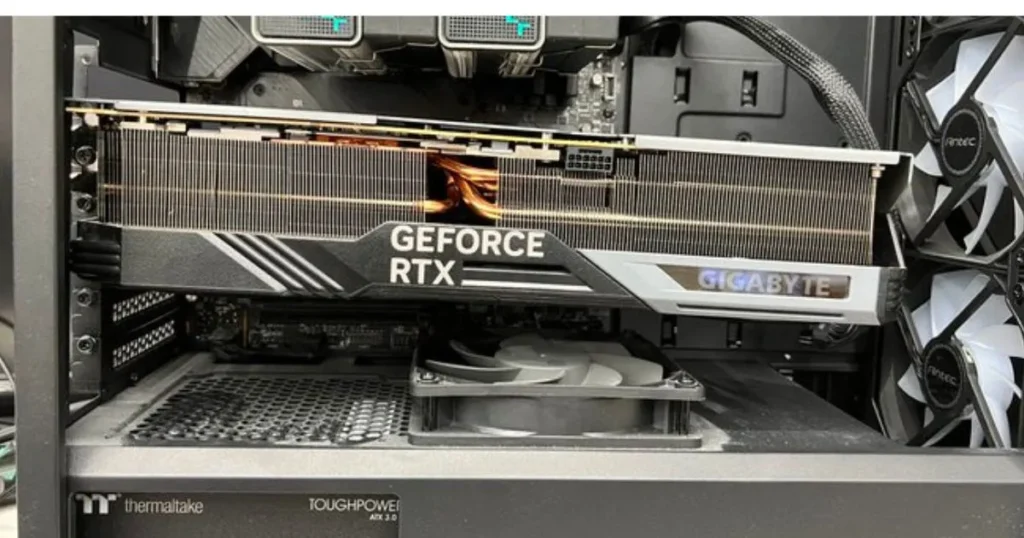
The warning applies to many modern triple‑fan cards, which often occupy three or four slots and use massive heatsinks. Over time, the two‑point support system can allow the card to sag, potentially damaging the GPU’s PCB or the motherboard’s PCIe slot. The risk is not limited to one brand or generation; any long, heavy card can suffer if left unsupported.
Support Brackets Are the Answer
Many higher‑end graphics cards already include anti‑sag brackets or support bars. Some manufacturers, like ASUS, have gone further with features like Level Sense on select ROG cards, which uses onboard sensors to detect when the card is no longer level. However, not every model comes with such extras.
The good news is that a support solution doesn’t have to be fancy. Users on social media shared creative fixes: from bricks and 3D‑printed stands to an old pencil. Anything rigid enough to prop up the far end of the card can prevent sag. Retailers sell dedicated support brackets for as little as $5 to $10 – a small price compared to a damaged motherboard or GPU.
GPU Support Bracket – AMAZON
Why It Matters
A bent card might still work, but prolonged stress can crack solder joints, damage traces, or physically break the PCIe slot. Worse, motherboard warranties often exclude physical damage, leaving the user with an expensive repair bill.
Also, Read
- AMD’s Jack Huynh on RDNA 3.5 FSR 4.1 Support: “I Did Not Say It’s Coming”
- NVIDIA GeForce RTX 50 SUPER Refresh ‘Back on Track’, RTX 5060 12GB Reportedly Planned
- AMD Hints at Ryzen 5 9600X3D Launch Later This Year: Six-Core Zen 5 with 3D V‑Cache
If you’ve installed a large graphics card recently, take a moment to check whether it’s perfectly level. If it sags, add a support bracket – or even a stack of LEGO bricks. Your PC will thank you.
Source: PCONES